

Many models · One director
Direct the impossible.
Every frame of it answers to you.
Kimeric is a desktop studio that runs your whole production: it reads your screenplay, locks your cast and sets as visual canon, stages real scene coverage, storyboards every shot, and renders the footage with the world’s best AI models — you approving every step. A script goes in; an edit-ready film comes out.
Scene 01 · the first read
Start with a script, not a prompt.
The fundamental difference between Kimeric and every other tool on the market: you don’t start with a prompt. You start with an idea. A story. A script. Paste the whole thing and roll — Kimeric reads the pages the way a production office would, filling in a live call sheet of every character, set, and prop, a director’s plan, and a shot list for every scene — then guides you through the entire generative process, from this first read to the final cut.
Simulated interface, sped up ×60 — a real first read runs 15–45 minutes and costs a few dollars in Anthropic calls, estimated before you roll. The film is THE NPC — written, broken down, and rendered end-to-end in Kimeric, and published on YouTube. Every render on this page is from that production.
Scene 02 · the canon
Continuity is locked before anything renders.
Kimeric works in the same order a real production does: first define the things that have to stay consistent across the whole film — what each character looks like, what they wear, every set, the key props — then storyboard, and only then generate footage. You review and approve each reference, and every image and clip downstream is built against the ones you approved. Continuity isn’t something you fight for shot by shot; it’s locked at the start and reinforced through the entire project.

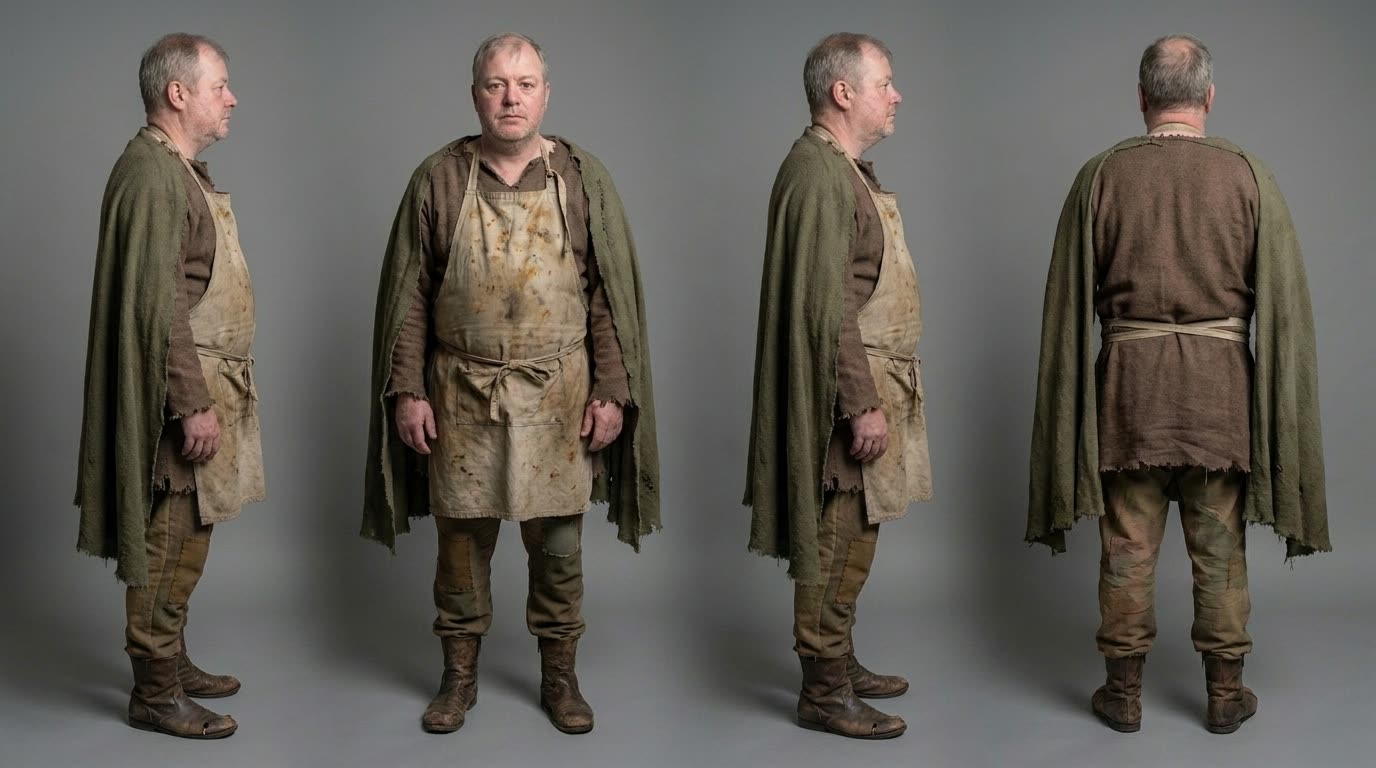



The review flow, exactly as it runs in the app: pending → generating → awaiting approval → approved. Nothing downstream generates until the references it depends on are approved.
Scene 03 · the staging
Real coverage, on a held 180° line.
This is where AI films usually fall apart — and where Kimeric behaves like a cinematographer instead of a slot machine. Every scene is staged once as a master frame composed from your approved canon; the actual coverage derives from it image-to-image: an over-the-shoulder pair, then matched close-ups per character. Scene geometry is computed, reviewed, and held — never re-rolled shot by shot.

Hob mid-pitch, Finn reined in with his eight-berry sack, Grett unbothered on his patch — staged once, approved by you, and made the parent of every angle below.
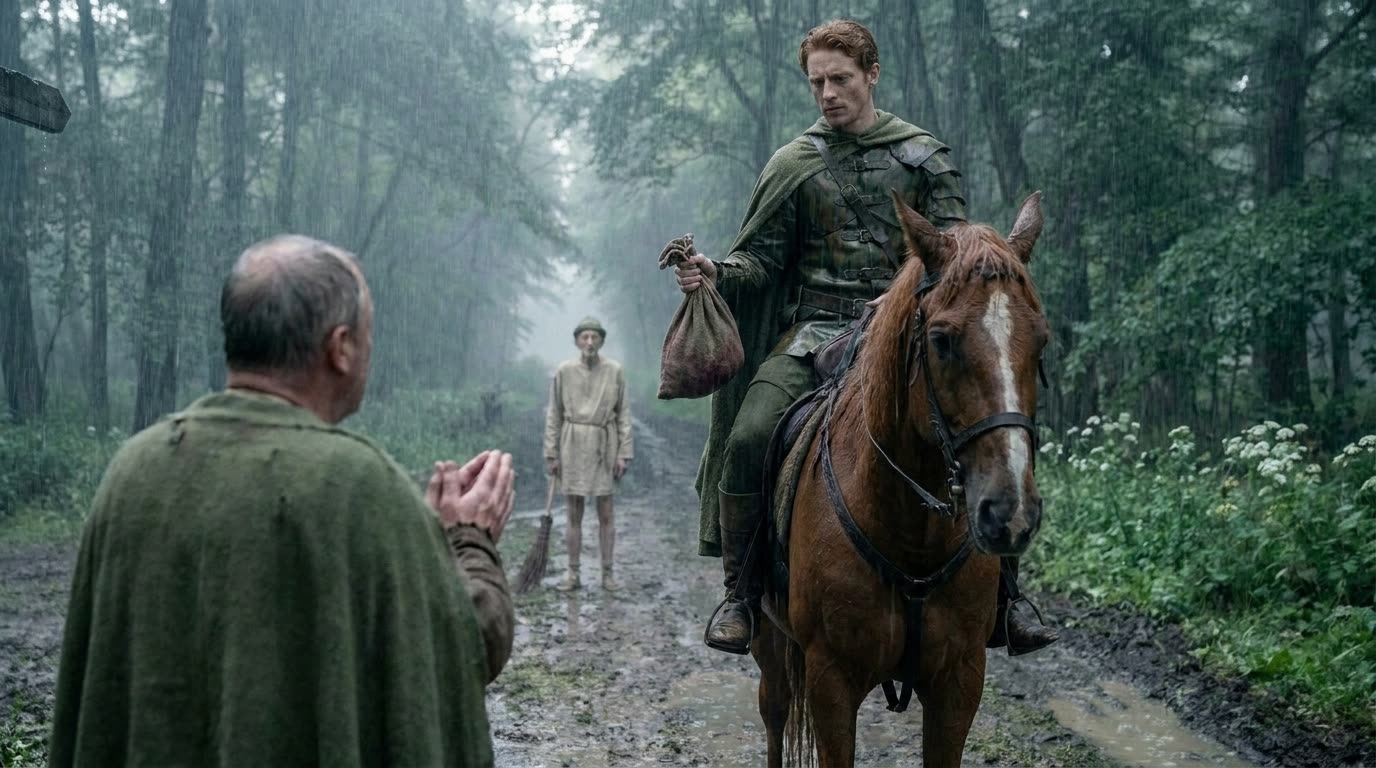
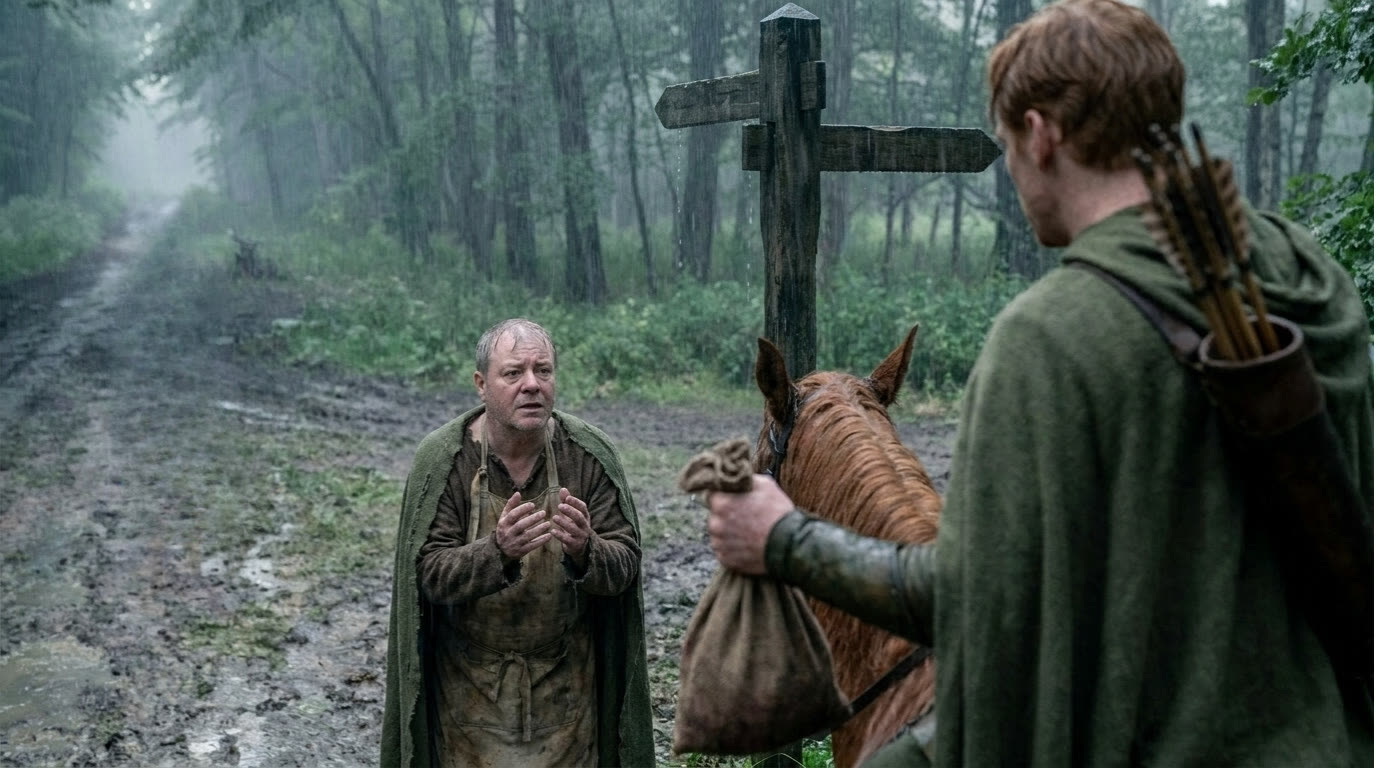


- The reverse can’t drift. OTS-B renders with approved OTS-A as its reference — same set, same light, same lens, mirrored staging.
- Close-ups chain off coverage. Each character’s MCU and CU derive from the frame where their face is already right.
- Geometry is one decision. If the staging reads mirrored, you flip it once — the whole coverage set rebuilds to match.
Scene 04 · the storyboard
Every shot planned before a dollar of video.
Coverage, inserts, and action beats land on one filmstrip — a frame for every shot in the film, each reviewed and locked by you. Only then does the film commit to video, and the commit shows exact counts and dollars first. Two gates, no exceptions: no prompt renders unseen, no paid step runs unconfirmed.
 FLOWSTORYBOARDFOOTAGEASSETSPRODUCT CHROME · SHOWCASE FRAMES







The storyboard is the film’s cheapest draft — you fix composition here, in $0.20 frames instead of $9 clips.
Scene 05 · the footage
Takes come back. You keep the cut.
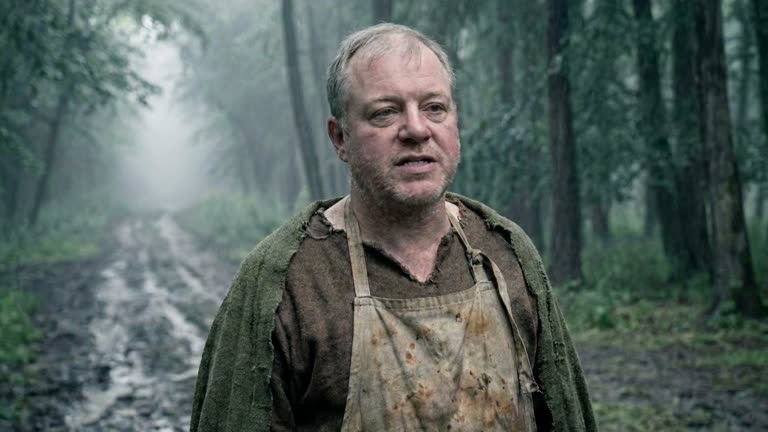
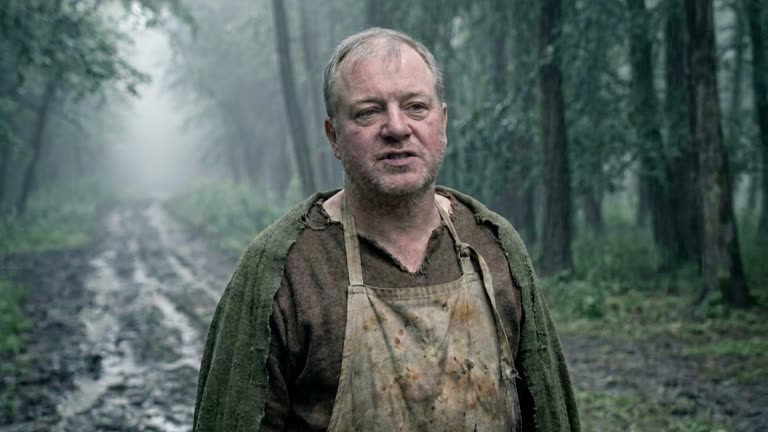
Each clip renders against its locked storyboard frame and your canon — Kling for dialogue and coverage, Seedance 2.0 for spectacle. Takes queue for review: approve, star an alternate, send notes and re-roll, or grab a still straight off the footage and promote it into the canon. Export is a folder of numbered, unwatermarked MP4s — 720p to 4K — ready for Premiere, Resolve, or Final Cut.


Scene 06 · the difference
A prompt box makes clips. Kimeric makes films.
Every AI video tool can produce a beautiful ten seconds. Films die between the clips — the face drifts, the room reshuffles, the camera crosses the line. Kimeric isn’t a better prompt box; it’s the production built around the models. Same engines, different machine:
Start from a text prompt, ten seconds at a time
Start from a screenplay — the whole film planned at once
The character drifts a little with every clip
Approved character sheets lock identity across every shot
The set reshuffles from shot to shot
One approved set, held across every angle in the scene
Single clips — no coverage, no eyelines, no scene
Real coverage on a held 180° line — masters, reverses, close-ups
You find out what it cost afterwards
Priced before you start — estimated, confirmed, and capped
A clip in your downloads folder
A numbered, edit-ready film on your own disk
Nothing renders from a prompt you haven’t seen. Every stage stops for your approval — edit, iterate, or swap in your own image.
Estimated before ingest, budgeted after breakdown, confirmed before every paid step — with hour, day, and month caps enforced on every call.
Every render is a take you keep: star alternates, send notes and re-roll, grab stills straight off the footage.
A Windows app, not a cloud. Scripts, keys, and footage never leave your machine — zero telemetry, nothing hosted.
Scene 07 · the credits
Honest about the models.
Kimeric is not a model and doesn't pretend to be one. It casts the strongest generative models available in the roles they're best at — on your own accounts, swapped forward as better ones ship.
Models render. You direct.
Scene 08 · the budget
Know the cost before you spend it.
Kimeric is $49/month. Generation is billed separately — directly by the model providers on your own prepaid accounts. The app estimates every film and confirms every paid step before it runs.
Example prices for single images, clips, and script ingestions — actual project costs vary with your film's length and quality tier.
One film, six budgets.
A six-stop quality slider routes the same film from budget 720p to native-4K masters. It changes only where the video renders and at what resolution — never the direction, coverage, or storyboard.
4K delivery is its own choice on every tier: upscale everything through Topaz, go native 4K at the top tiers, or finish in 1080p at no extra cost.
Scene 09 · the deal
One plan. The whole pipeline.
- The full pipeline, script to 4K cut — no feature gates
- Runs on your Windows PC · films never leave your machine
- 14-day free trial for new subscribers · money-back guarantee on your first payment
- Cancel anytime in one click · keep every file you rendered
First-time subscribers start with a 14-day free trial — $0 today, and you can cancel anytime before it ends at no charge. After the trial your subscription automatically renews at $49/month (plus any applicable tax) until you cancel. You'll see the full terms and confirm them before your trial starts — and see our Refund Policy for the money-back details.
By subscribing you agree to our Terms of Service, Privacy Policy, and Acceptable Use Policy.
Scene 10 · questions
Fair questions.
Most AI video tools are prompt boxes: you describe ten seconds, you get ten seconds, and the next clip starts from amnesia. Kimeric is a production pipeline. It ingests a whole screenplay, locks an approved visual canon for every character, set, and prop, stages scene coverage that holds real cinematic grammar — over-the-shoulder pairs, matched close-ups, an unbroken 180° line — storyboards every shot, and only then renders video, with each clip anchored to your approved references. The output isn’t a clip; it’s a numbered, edit-ready film.
A 64-bit Windows 10 or 11 PC. Kimeric installs as a single standalone app that runs entirely on your machine — the interface opens in your browser, but nothing is hosted in a cloud.
Not yet — Kimeric is Windows-only at launch. We’re working on Mac support and plan to ship it during the beta.
You connect your own accounts with the model providers Kimeric orchestrates: Anthropic for the script breakdown and staging (every film needs this), Gemini for photoreal imagery or OpenAI for animated and CGI styles, Kling for video, WaveSpeed for Seedance spectacle shots on the higher quality tiers, and Topaz only if you want 4K upscales. Before a film starts, Kimeric names exactly which providers that film will need, and you can add keys at any time.
Two parts. The Kimeric subscription is $49/month. Generation is billed separately — directly by the model providers, on your own prepaid accounts. As a guide: reference images run about $0.13–$0.30, coverage clips about $1–$3, a 15-second 1080p spectacle clip about $9. Kimeric estimates the cost before ingest, prices the whole remaining film after breakdown, and confirms every paid step with counts and dollars before it runs.
You direct. The pipeline pauses at every gate: you review prompts before they render, approve or iterate on every canon reference, approve every storyboard frame, pick takes, and confirm every paid step with the counts and dollars in front of you. Generation is automated; judgment never is. If you’d rather move fast, Auto Generation sweeps each stage for you — but it still stops at every review gate.
Honestly, it keeps the beta simple. Bringing your own keys and funding providers directly is the most straightforward model while we’re small — no middleman between you and the models. Down the road, we hope to offer a more direct, centralized way to generate so you won’t have to manage your own API keys at all.
Every film shows an estimated cost before the script is even ingested, a full production budget after breakdown, and a confirmation with exact counts and dollars before each paid step. You can also set spending caps by the hour, day, or month — enforced before every provider call.
Yes — 14 days free for first-time subscribers (once per account). A card is required, you won’t be charged until the trial ends, and you can cancel before then at no charge. Your first payment after the trial is still covered by the 14-day money-back guarantee.
No. Kimeric runs locally: your screenplays, prompts, keys, and rendered footage live on your own computer and are sent only to the model providers you configure, directly from your machine. We never receive them, and the app carries zero telemetry or analytics. The only thing Kimeric phones home for is verifying your license.
We don’t claim any ownership of — or take any license to — your scripts or your generated films (Terms of Service §6). Beyond that, rights in generated output are governed by the terms of the model providers whose output you use, so check the terms of each provider you connect.
You keep full access through the period you paid for. After the subscription lapses, generation locks — but viewing and exporting your existing films always stays open, and every file is already on your own disk.
Yes — each film is 16:9 widescreen or 9:16 vertical, chosen when you start it. Coverage, storyboards, video, and 4K masters all follow the film’s aspect ratio end to end.
A folder of clean, unwatermarked MP4 clips — one per shot, numbered in timeline order, with starred alternate takes alongside — in 720p, 1080p or 4K. Note that the final output is a set of clips, not a single stitched film: you’ll assemble, trim, and polish the final cut in your own editing software (Premiere Pro, Final Cut, DaVinci Resolve, or even iMovie — anything that reads MP4s).